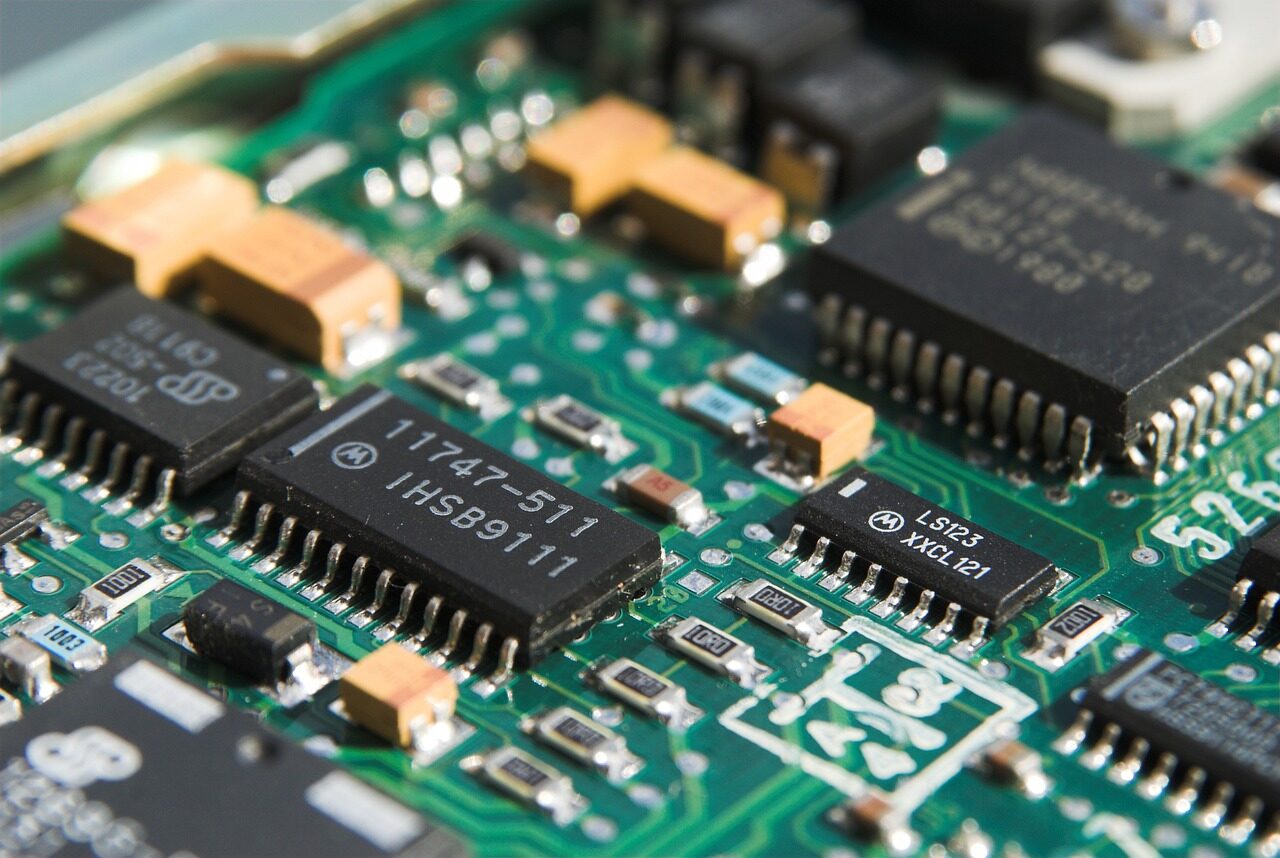
Mapping the layers of a computer to find the exact place this quiet translator lives.
- A computer is built in layers, from physical hardware up to the apps you use.
- Drivers sit between the operating system and the hardware, joining the two worlds.
- Placing them at this boundary keeps higher layers clean and lower layers honest.
- Knowing where a driver lives makes it easier to understand what it can and cannot do.
To understand a device driver, it helps to know exactly where it lives. A computer is not a single undivided thing; it is built in layers, each resting on the one below. Picturing those layers, and finding the precise spot the driver occupies, turns a vague idea into something you can almost point to.
At the very bottom is the physical hardware: the chips and circuits that store, calculate, display, and communicate. At the very top are the programs you use directly, the ones with windows and buttons. Between these two extremes sits a careful stack of software whose whole purpose is to let the top reach the bottom safely. The driver is a key part of that middle ground.
The layers, from top to bottom
It is easiest to see the arrangement as a series of levels, each speaking to its neighbours:
- 1Applications: The programs you open. They think in everyday terms and have no direct contact with hardware.
- 1The operating system: The coordinator beneath your programs. It offers general services and decides who gets to use which resources and when.
- 1Drivers: The translators just below the system, each devoted to a particular kind of component, converting general requests into specific hardware instructions.
- 1Hardware: The physical devices themselves, responding to precise electrical signals and nothing else.
A driver, then, sits at a fascinating border. Above it is the broad, general world of software. Below it is the narrow, exacting world of one specific device. It faces both directions at once, and it is the only part of the stack that must truly understand both.
Facing two ways at the same time
Look upward and a driver presents a clean, predictable face to the operating system. It promises to handle a certain category of work, such as "this is how you talk to a storage component," in a standard way. The system does not need to know what is happening underneath; it simply makes its request and trusts the driver to deliver.
Look downward and the same driver speaks the intimate, idiosyncratic language of one particular piece of hardware. Here there are no pleasant generalities, only exact addresses, timings, and signals. The driver absorbs all of that complexity so that nothing above it has to.

Two kinds of neighbourhood
Not all drivers live at exactly the same depth, and it helps to notice the difference. Some run very close to the heart of the system, with broad privileges, because they handle work that the whole machine depends on. Others run further out, in more guarded territory, where a mistake is contained more easily. Where a driver sits along this spectrum is a deliberate design choice that balances how much power it needs against how much trust that power requires.
This is one of the quietly important ideas in the whole subject. Closeness to the hardware grants speed and capability, but it also raises the stakes. A driver placed deep in the system can do its work with very little overhead, yet a fault there has more reach. A driver kept at arm's length is safer to get wrong, but may pay a small price in directness. Designers weigh these trade-offs carefully, and the result is a stack where each translator sits at the depth that suits its job.
Why this position matters
Placing drivers at this border is one of the quietly elegant decisions in computing. Because the messy, device-specific knowledge is gathered into drivers, the operating system above can stay stable and general. New hardware can appear, and as long as someone writes a driver that presents the expected face upward, the system carries on unchanged. The variety of the world is handled at one well-defined layer rather than scattered everywhere.
This boundary is also why a single misbehaving driver can matter so much. Sitting so close to the hardware, some drivers run with considerable privilege, which is part of why systems take such care about which translators they trust. The position grants power, and power asks for responsibility. We explore that idea more fully in other articles.
A place that keeps change manageable
There is one more reason this position is so valuable: it keeps change from spreading. When something new arrives, the disruption is confined to a single layer. A new translator is added at the border, and the layers above and below carry on as before. The programs you use do not need rewriting, and the hardware does not need redesigning, because the only part that had to learn anything new was the driver in the middle.
This containment is why a computer can keep accepting new and varied devices over many years without becoming a tangle. Each addition is a tidy, local event at the same well-understood threshold rather than a change rippling through everything. The border does not just translate; it also absorbs the shock of novelty so the rest of the system stays calm.
It is worth saying plainly: everything here is conceptual. This site does not host drivers, link to downloads, or ask you to install anything. The aim is only to map the territory so the ideas make sense.
So when you picture a computer, try not to see a single block. See a gentle staircase of layers, with your programs at the top, the hardware at the foot, the operating system keeping order in the middle, and the drivers standing right at the threshold between software and the physical world. That threshold is their home, and it is exactly the right place for a translator to stand: close enough to the hardware to speak its language, and close enough to the system to be understood.
Where exactly does a driver fit in the stack?
It sits just below the operating system and just above the hardware. That position lets it translate in both directions while staying out of everyone else's way.
Why does the layered arrangement matter?
Layers let each part of the system change without disturbing the others. A driver absorbs hardware details so the layers above can stay simple and stable.